Enterprise Single Sign-On. Designing Self-Serve SSO in Autodesk Account
SSO (Single Sign-On) lets a user sign in once through a central identity provider such as Okta or Azure, then access multiple apps without signing in again. Setting it up is high-risk and technical. A misconfigured domain can lock an entire company out.
My role: I owned the admin experience end to end: research, UX and UI for the self-serve SSO setup and admin configuration.
Key flows I designed:
- Self-serve setup: configure an SSO connection end to end without filing a support ticket
- Safe disable and enable: full control to turn SSO on or off, without locking users out
- Built-in guardrails: confidence and clear guidance through a high-stakes, technical task
Self-serve didn't exist. Every change went through support.
Enterprise SSO setup and management at Autodesk was handled entirely by an internal technical support team. Customers couldn't set up, change, or disable SSO themselves. Every request went through a full white-glove service.
The goal: move Enterprise SSO setup and management into a single, self-serve experience in the Autodesk Account portal, so admins can set up, configure, and disable SSO on their own.
UX challenge: because SSO setup is high-risk and technical, admins needed confidence, clear guidance, and built-in guardrails to avoid locking users out or misconfiguring domains and connections. The design had to give admins full control to safely disable and reconfigure SSO, without compromising security.
The bottleneck wasn't the technology. It was the queue.
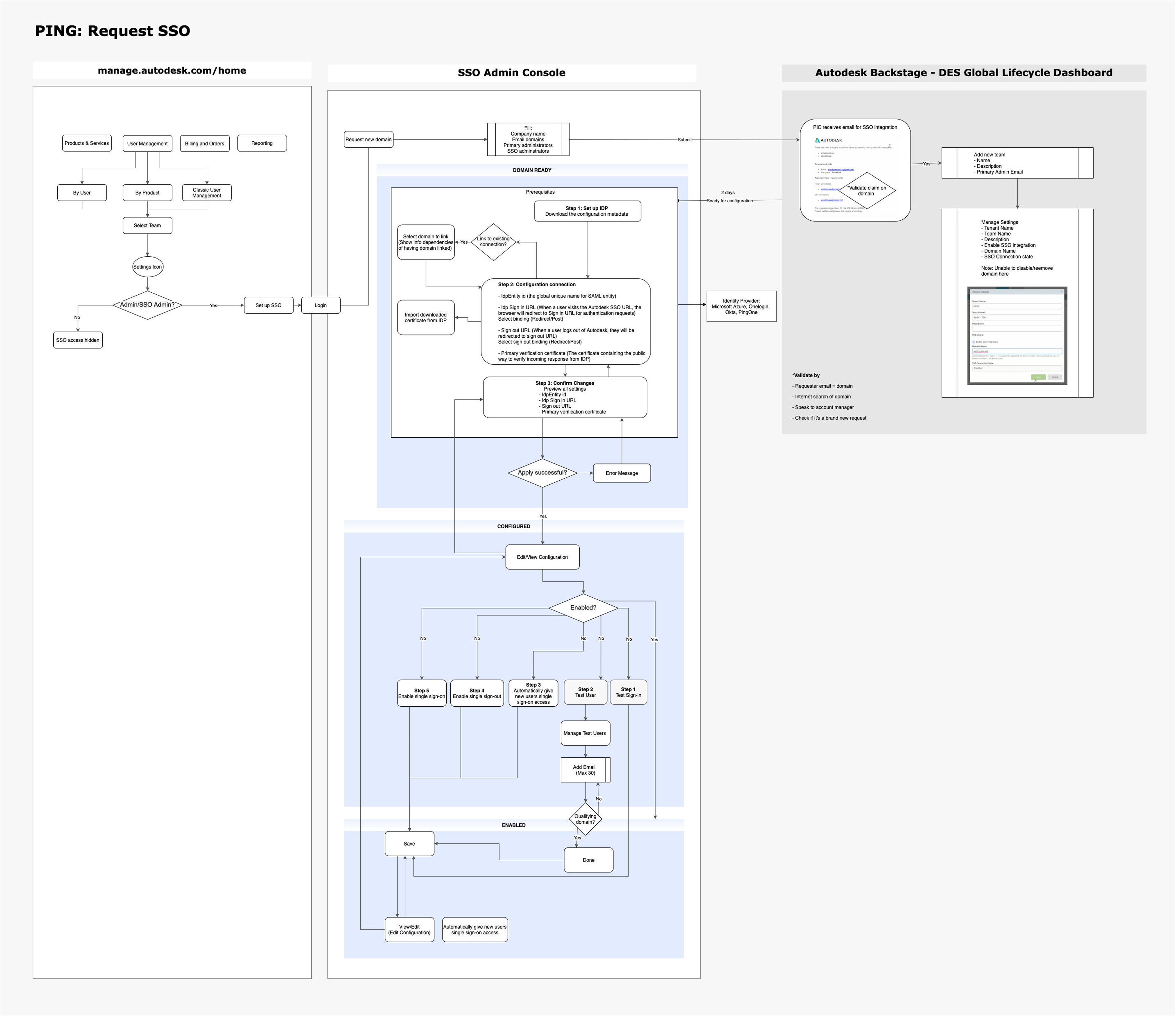
To understand the root cause, I conducted stakeholder interviews and correlated the findings with customer support cases, mapping the current journey, system behaviors, and pain points.
The research uncovered a critical bottleneck. With setup handled entirely by the internal team, customers depended on a full white-glove service to complete implementation. Missed and delayed requests were a recurring problem, and customer sentiment heatmaps confirmed what the numbers suggested: the experience was consistently frustrating, slow, and opaque, with no visibility into progress or timeline.
See current journey map
Learning the patterns admins already knew.
Self-serve SSO configuration was a new space for Autodesk, so I ran a competitive review of how other enterprise platforms approach it.
The goal: identify industry standards, surface patterns that users already understood, and find opportunities to redefine the existing experience rather than simply replicate it.

Mapping the journey admins should have had all along.
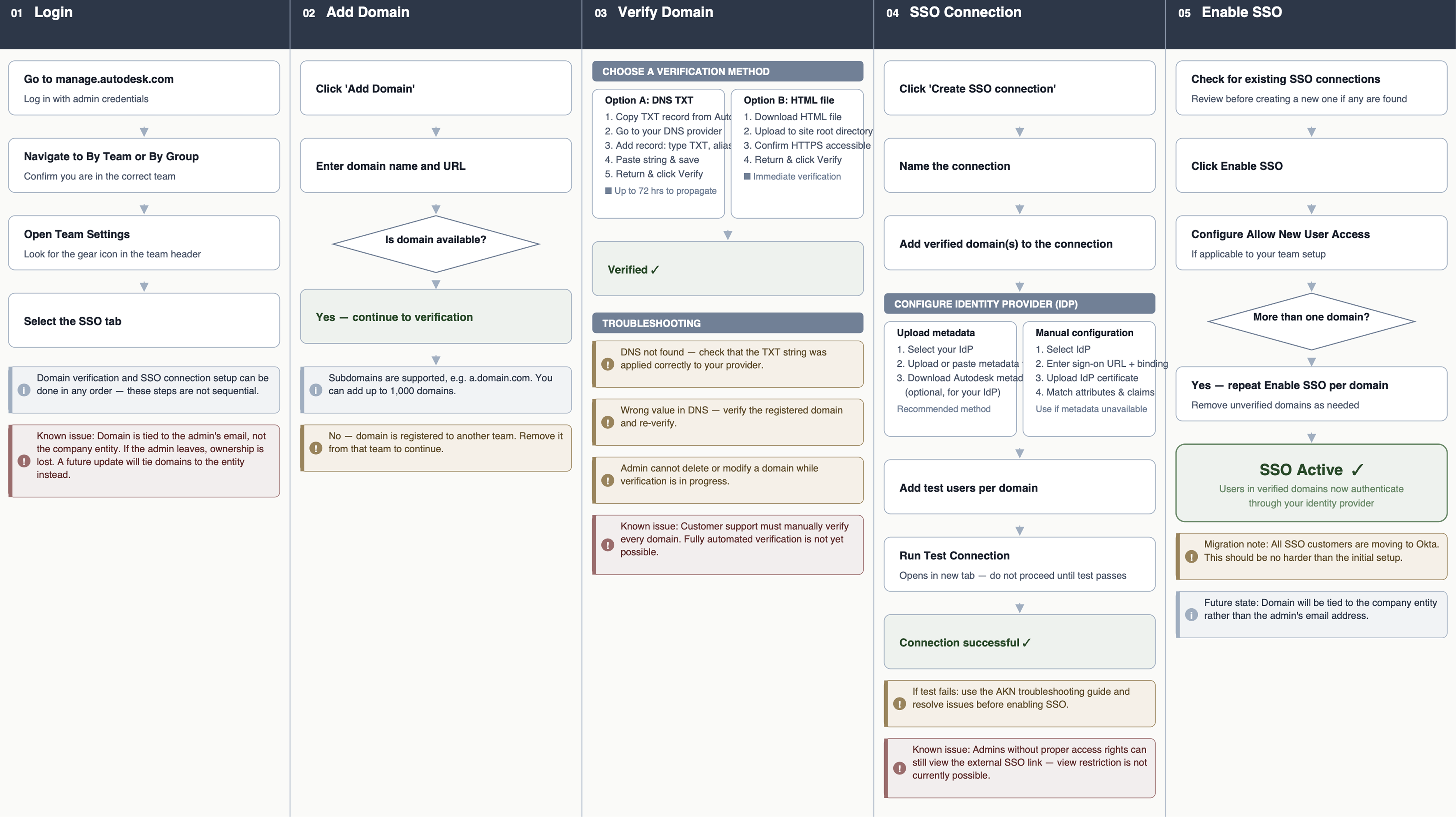
With industry standards in mind, I facilitated a workshop with stakeholders to piece together a journey map of what an IT admin would go through to configure an SSO connection for their end users.
In this process, we mapped every touchpoint and surfaced known issues to carry into the design.
Two rounds: walkthroughs first, then admins on their own.
To validate the new flows, we did usability testing using moderated interviews and unmoderated testing.
Round 1 → Walkthrough sessions. Moderated interviews with 5 participants, walking each person through the wireframe to surface usability friction and uncover edge cases that wouldn't appear in design reviews alone.
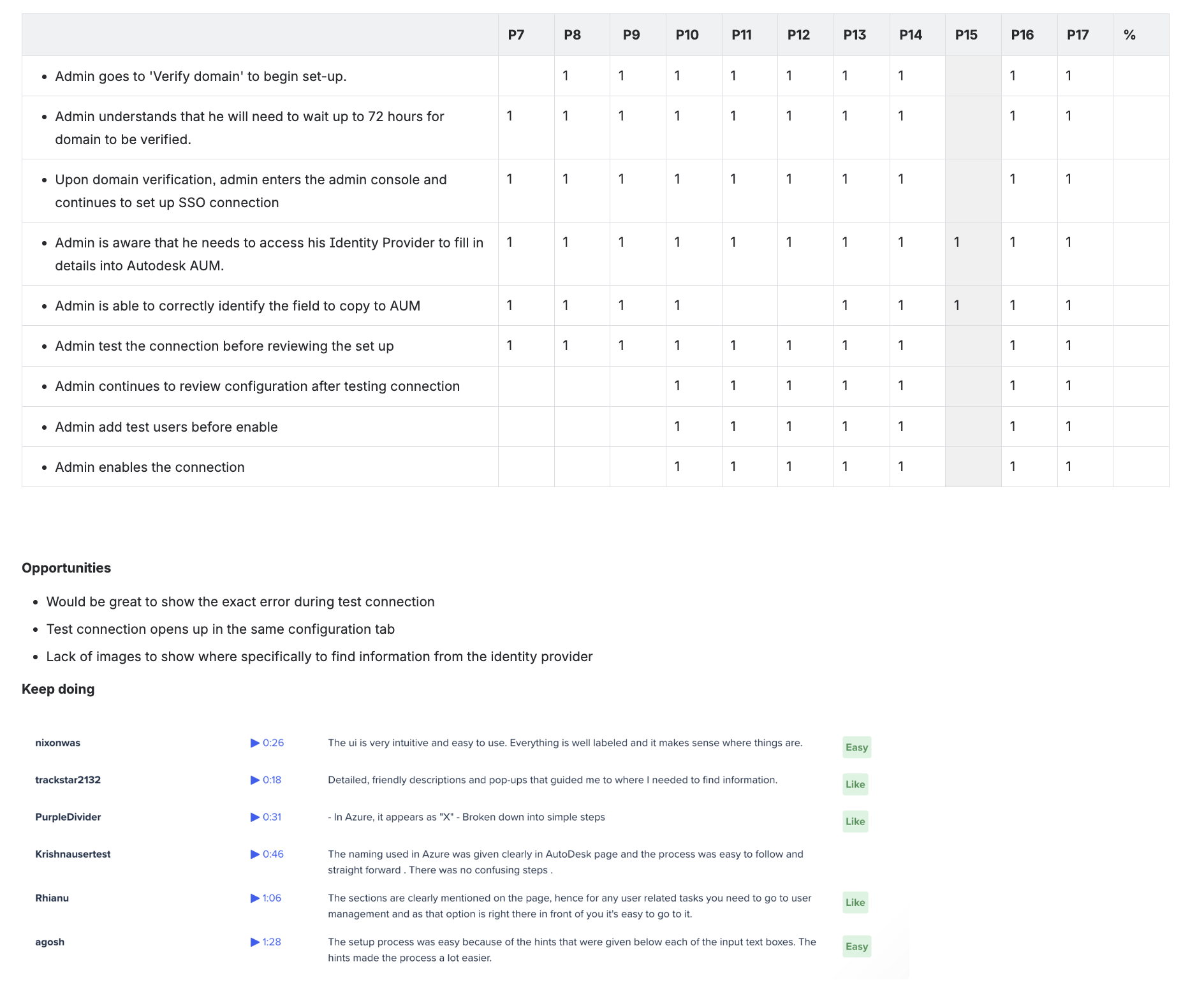
Round 2 → Task-based remote testing. After iterating on the wireframe based on Round 1 findings, I ran remote usability testing to validate whether users could successfully complete the end-to-end task of creating an SSO connection independently.
Conflicting design systems, diverging stakeholders, deliberate trade-offs.
Along the way, the team faced conflicting design systems and stakeholders with diverging interests. Through structured design reviews, evidence from user testing, and ongoing negotiation, we made deliberate trade-offs and landed on a solution that balanced user needs, technical feasibility, and business goals.
Set up, test, disable: no ticket required.
Enterprise SSO self-service launched in May 2023, giving admins the ability to set up, configure, and disable SSO on their own, directly in the Autodesk Account portal, with no support ticket required.
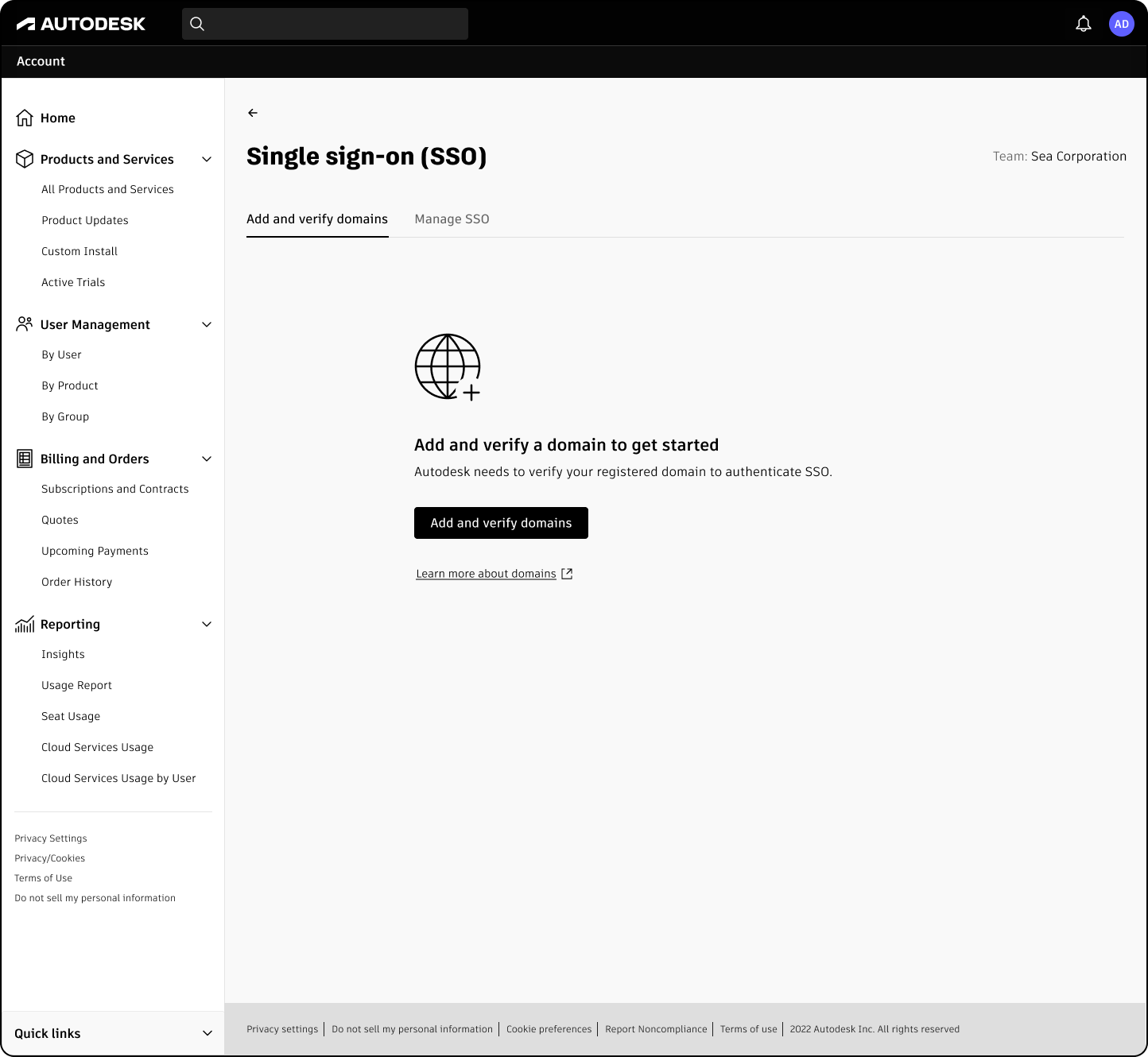
The self-serve entry point. Admins can verify their domain and create an SSO connection without support intervention.
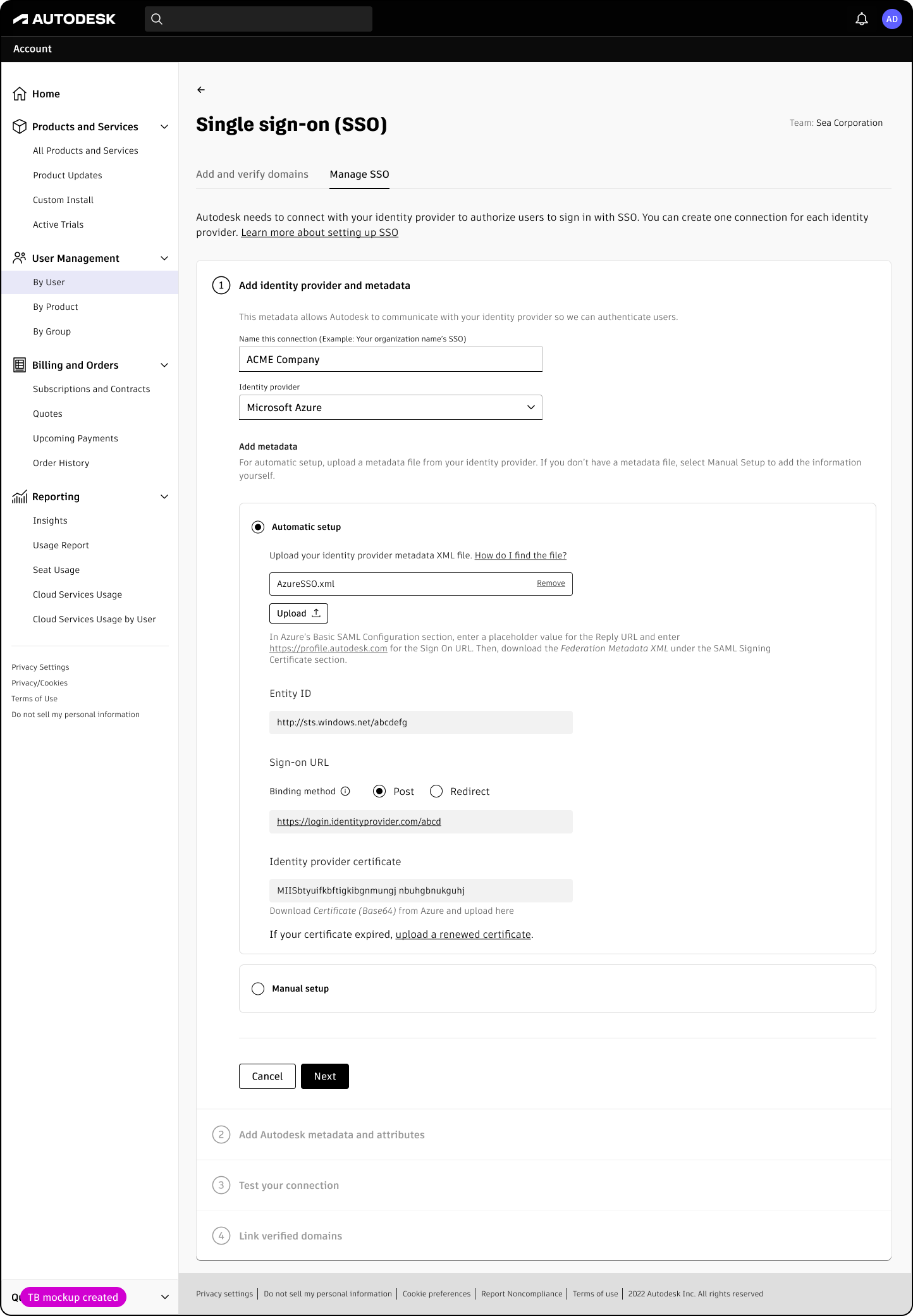
Step-by-step guidance through the technical details, built for confidence in a high-risk task.
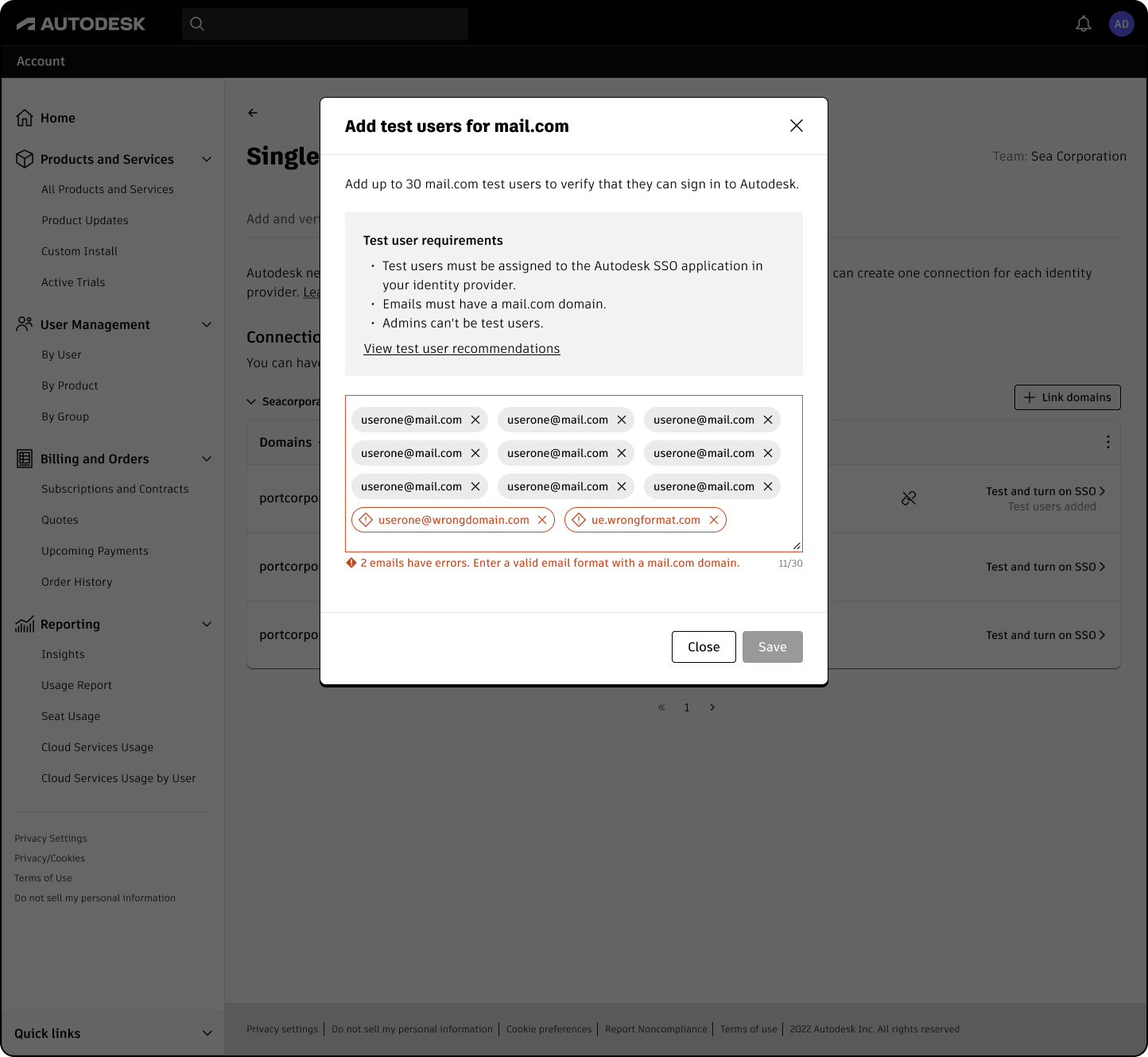
Test the connection with selected users before turning on, so a misconfigured connection never locks a company out.
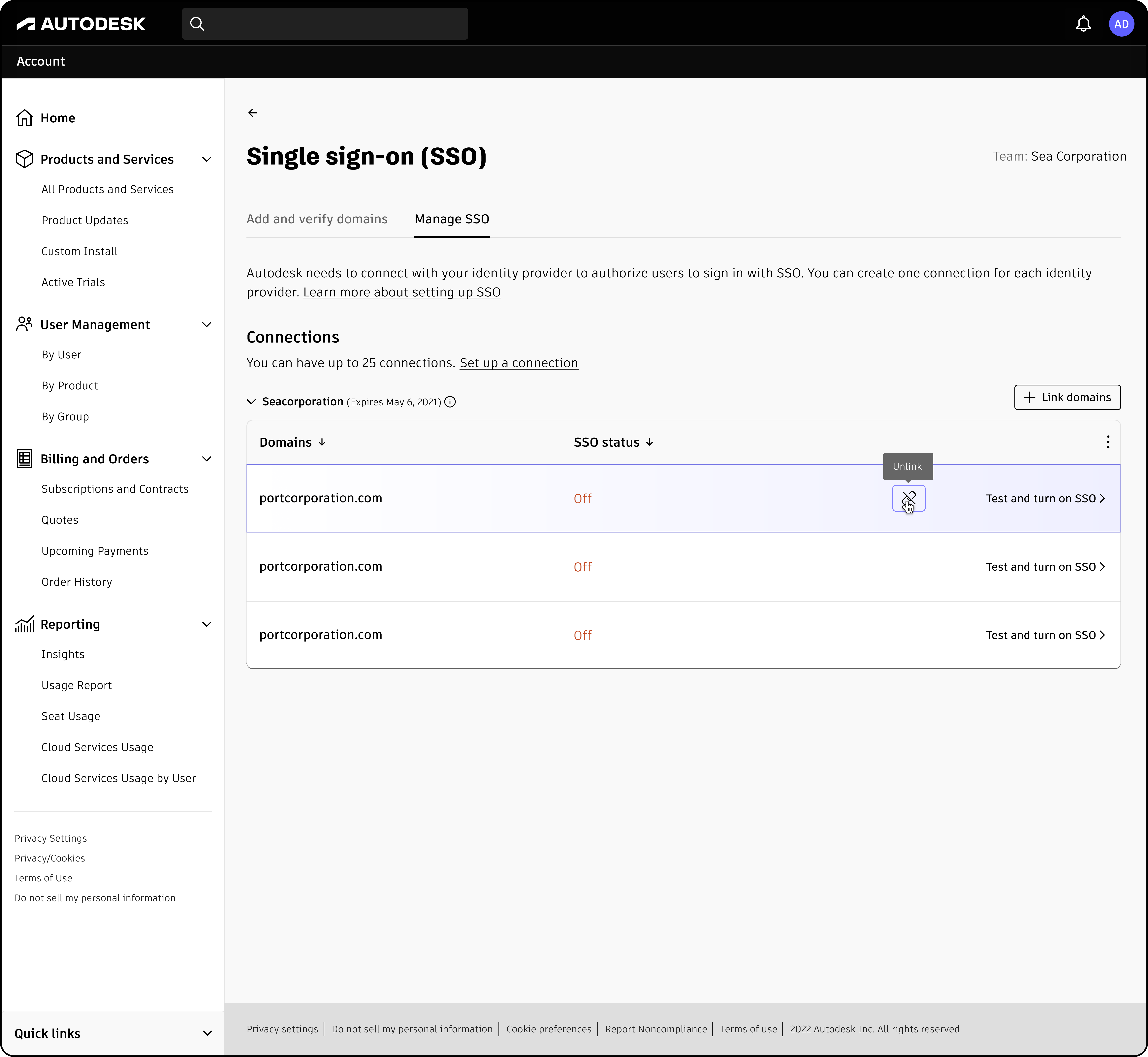
Full control to disable or reconfigure SSO, designed so admins can act without fear.
From support queue to customer success stories.
The work became a foundation for two flagship enterprise success stories.
GHD Group Pty Ltd achieved a 90% reduction in manual user administration across 5,000+ users.
RSP Architects Planners and Engineers (Pte) Ltd consolidated multiple business domains into a unified domain with zero downtime, ensuring better management of the user lifecycle across 15 studios in 6 countries.
Our experience with Autodesk has been truly exceptional. The transition was seamless, with no downtime. Their commitment to transparency throughout the entire process was a welcome change, and we can confidently say that we encountered zero issues along the way.Sheik Uduman, Head of BIM / Digital Technology & Yew Chee Hian, IT Manager · RSP Architects
From fully manual, support-led setup to admins configuring SSO on their own.
From eliminated support cases.
Reduction in technical support cases after launch.
Admin onboarding time, down from four days to one.